Introduction:
In this blog we will see how to show or hide Time Component using JavaScript in Model Driven Apps/ MSCRM
Implementation Steps:
Some time Use want to Show/Hide Time Field Component based on their Requirement
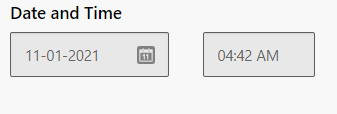
To Achieve that we need to write some JavaScript to enable and disabled Component
Syntax:
formContext.getControl(arg).setShowTime(bool);
arg = Field Logical Name
bool = true/false
To Enable time Component:
function enableTimeComponent(executionContext){
var formContext = executionContext.getFormContext();
formContext.getControl("FieldLogicalName").setShowTime(true);
}
To Disable time Component:
function enableTimeComponent(executionContext){
var formContext = executionContext.getFormContext();
formContext.getControl("FieldLogicalName").setShowTime(false);
}
That's it


No comments:
Post a Comment